How to
Guide
Short, step-by-step guides to getting a clean vector out of PathSnapper, from choosing the colours to editing the last point.
PathSnapper works in four steps, shown along the top of the app: Image, Colours, Edit and Output. Open an image (use Open, drop it on the canvas, or paste it) and PathSnapper finds its colours and traces it straight away. Each step after that lets you correct one thing, and the vector follows every change.
Each guide below covers one step, with a short clip of the app for every technique.
-
 1
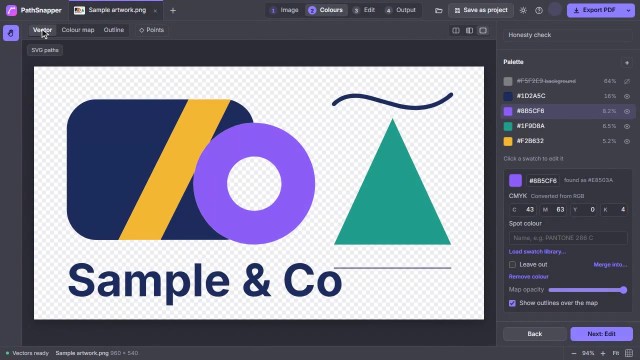
Colours: choose, change and merge them
Set how many colours PathSnapper uses, recolour any part of the artwork, merge near-duplicates, add a colour that was missed, and set the inks for print.
Read the guide
1
Colours: choose, change and merge them
Set how many colours PathSnapper uses, recolour any part of the artwork, merge near-duplicates, add a colour that was missed, and set the inks for print.
Read the guide
-
 2
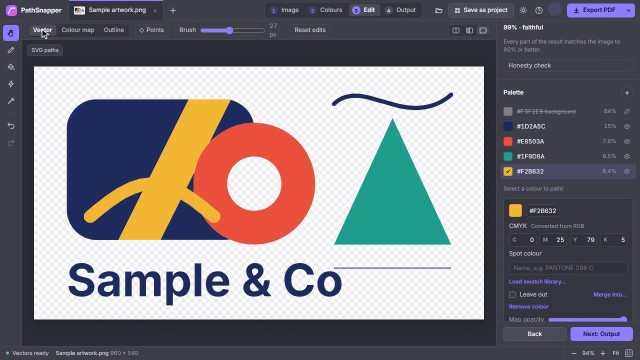
Edit tools: fix the colour map
Paint, fill and zap the colour map to fix what the colour step got wrong. The vector re-traces as you go.
Read the guide
2
Edit tools: fix the colour map
Paint, fill and zap the colour map to fix what the colour step got wrong. The vector re-traces as you go.
Read the guide
-
 3
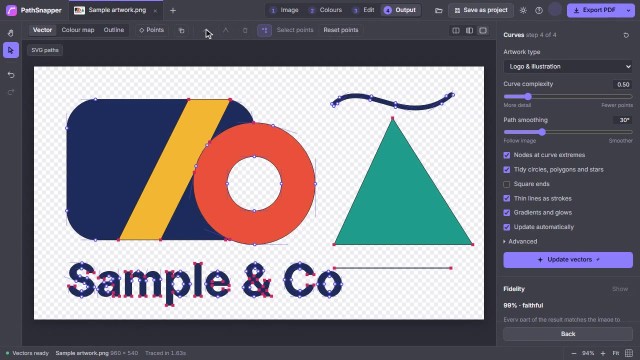
Output: curves, points and export
Tune how closely the curves follow the image, check them against the original, edit single points, and export the right file.
Read the guide
3
Output: curves, points and export
Tune how closely the curves follow the image, check them against the original, edit single points, and export the right file.
Read the guide
-
 4
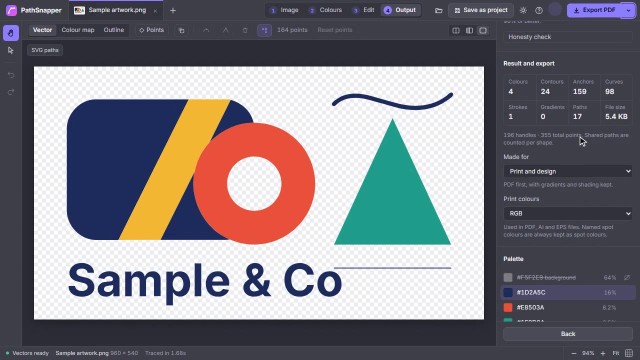
Output options explained
Every setting that changes your file: formats, print and spot colours, cut-outs, curves, gradients and shading, and what each is for.
Read the guide
4
Output options explained
Every setting that changes your file: formats, print and spot colours, cut-outs, curves, gradients and shading, and what each is for.
Read the guide
Try it on your own artwork
Every technique here works on the sample in the app, or on your own logo.
Try it free